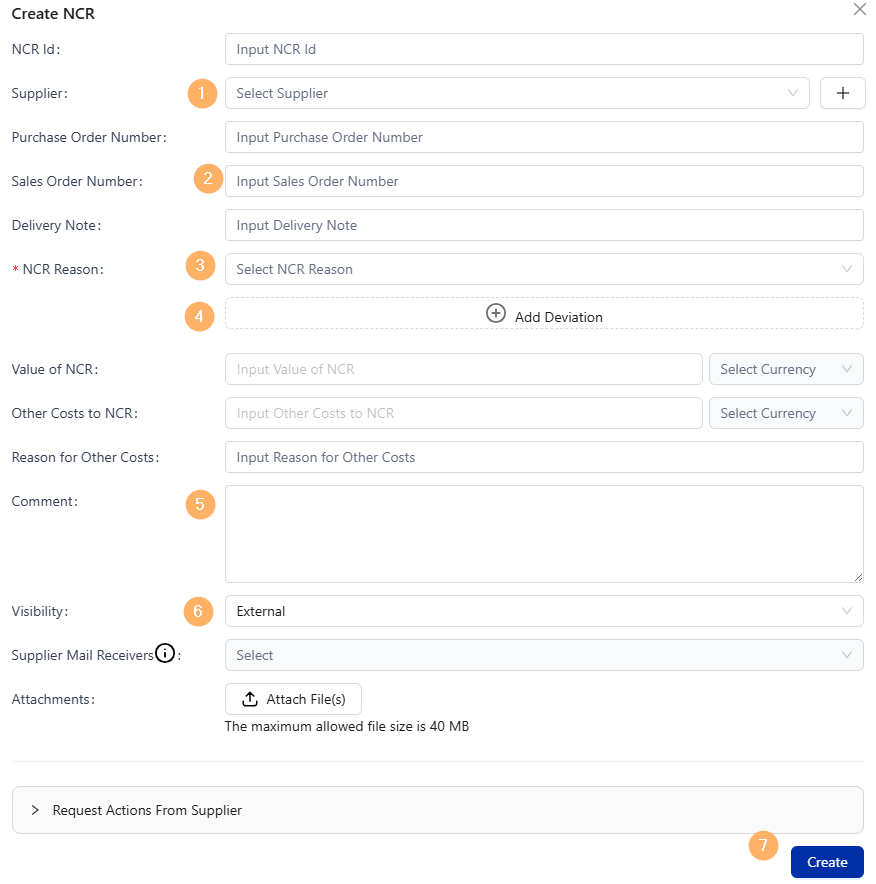
Non-conformance reports help you and your team track and resolve any issues that occur in your supply chain or otherwise. By registering an NCR on LeanLinking you can easily manage both the process of logging issues, and resolve those issues with your suppliers all in one place.
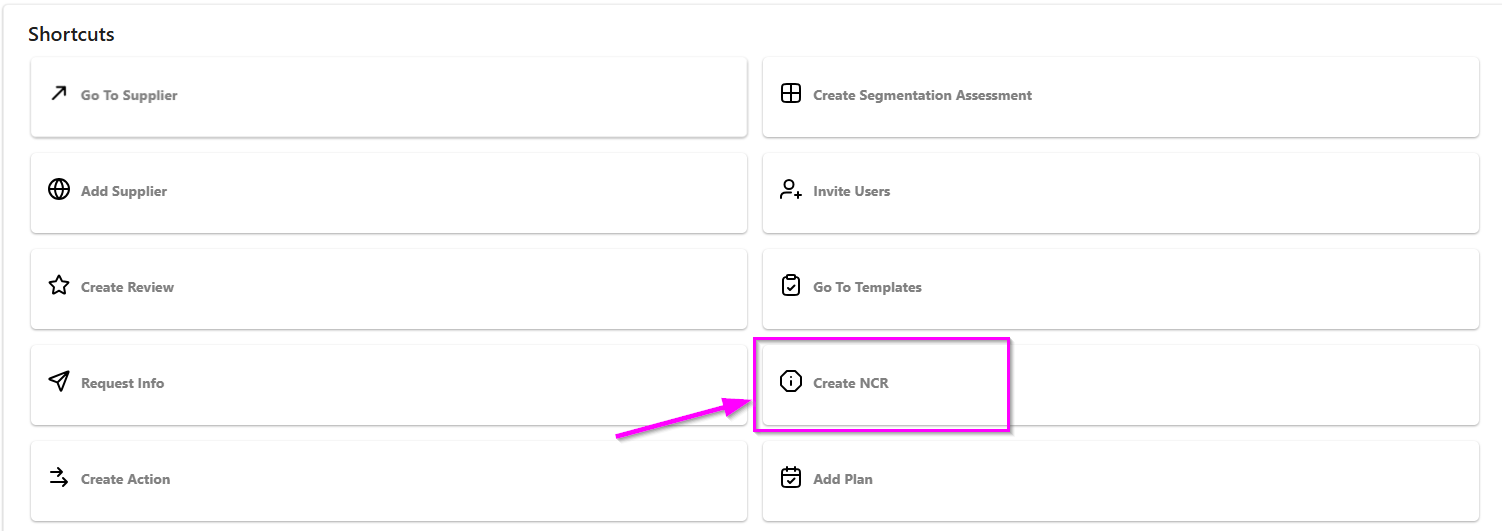
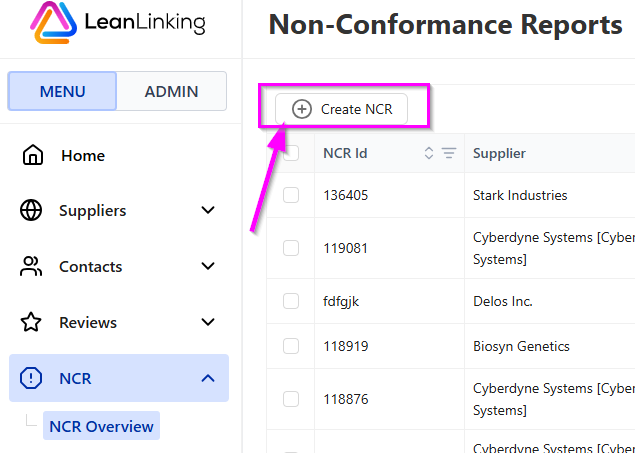
Non-conformance reports (or NCRs) can be registered from the Home page, and from the NCR Overview as shown below.
Registering an NCR from the Home page:
Registering an NCR from the NCR Overview:
Once you have opened the Create NCR window, simply fill in all relevant information as according to your company's internal processes. Keep in mind your view may look different depending on your company's setup.
Some basic steps to follow:
- Select the supplier you are registering the report on.
- Fill in relevant order and delivery information.
- Select the reason you are registering the NCR.
- Input any specific deviations.
- Specify the issue(s), what actions have been taken, and what you wish from your supplier.
- Select whether you want to share the NCR with your supplier (by setting it to External) or keep it Internal.
- Click Create to finish registering the NCR. The registration can then found on the NCR Overview for further processing.