
The LeanLinking solution automatically keeps track of supplier response time (the time it takes to resolve and close an NCR) and which categories the registered issues fall under. All this information is available from the Supplier Overview, which you can easily access from the left menu bar.
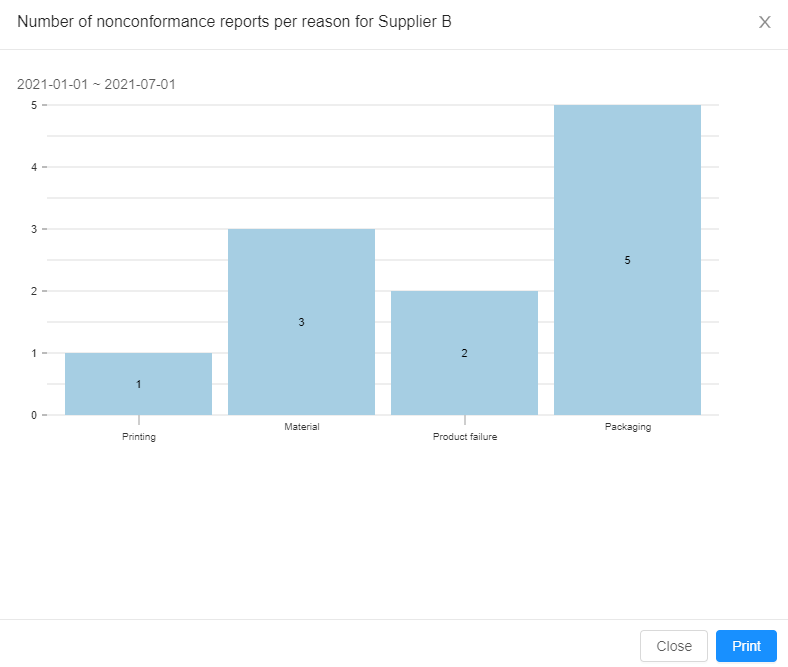
In the NCRs column you can see the total amount of Non-conformance Reports registered recently on each supplier. Clicking the graph icon next to the counter will show you the distribution of issues across the various NCR categories.
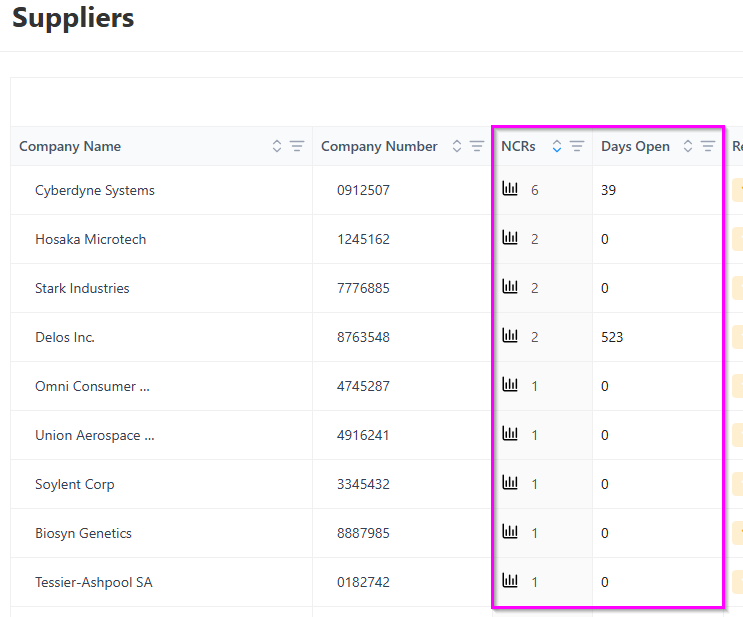
In the NCR Days Open column you can see the average amount of workdays the NCRs on that supplier have remained open. This helps you track how responsive your suppliers are, and how long it takes for them to resolve any issues.