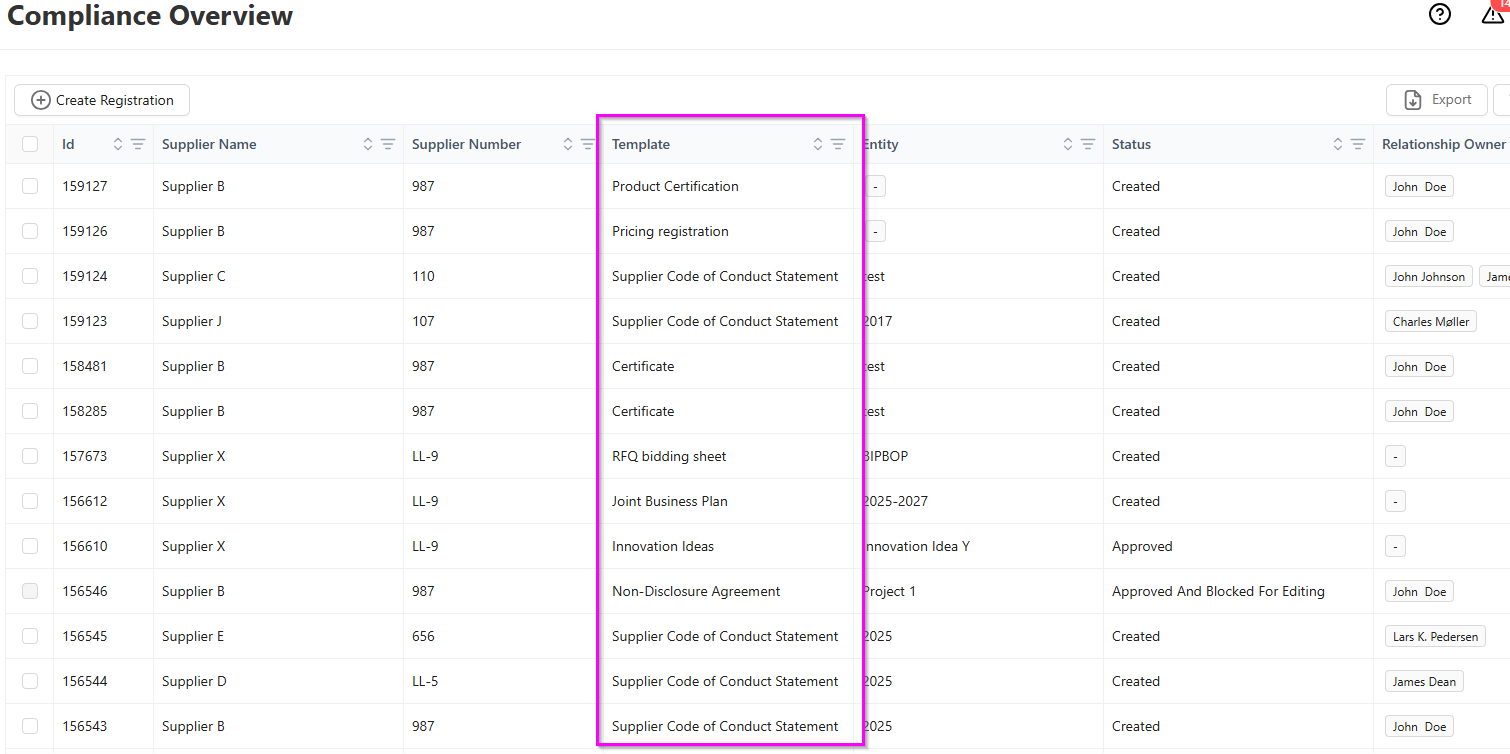
All documentation registered on your company's Documentation templates can be found in the Documentation Overview, which you can easily access from the left menu bar. On the Documentation Overview you can search and filter in each column to find the specific ones you need, as detailed here.
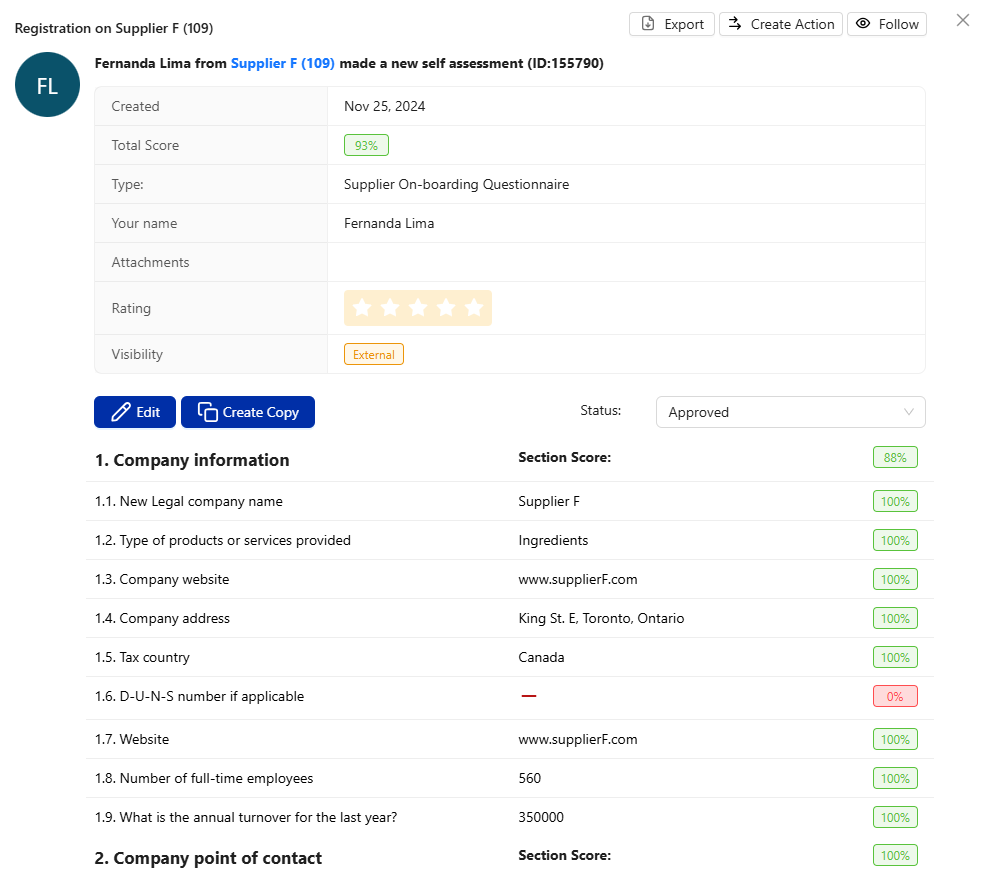
Each row is one Documentation registration - By looking in the Template column you can see what type of documentation is registered. Simply click a row to open the Documentation Registration, where you can then see any answers given, download attached documentation, change status and more. Use the search and filter functions to find specific documentation.