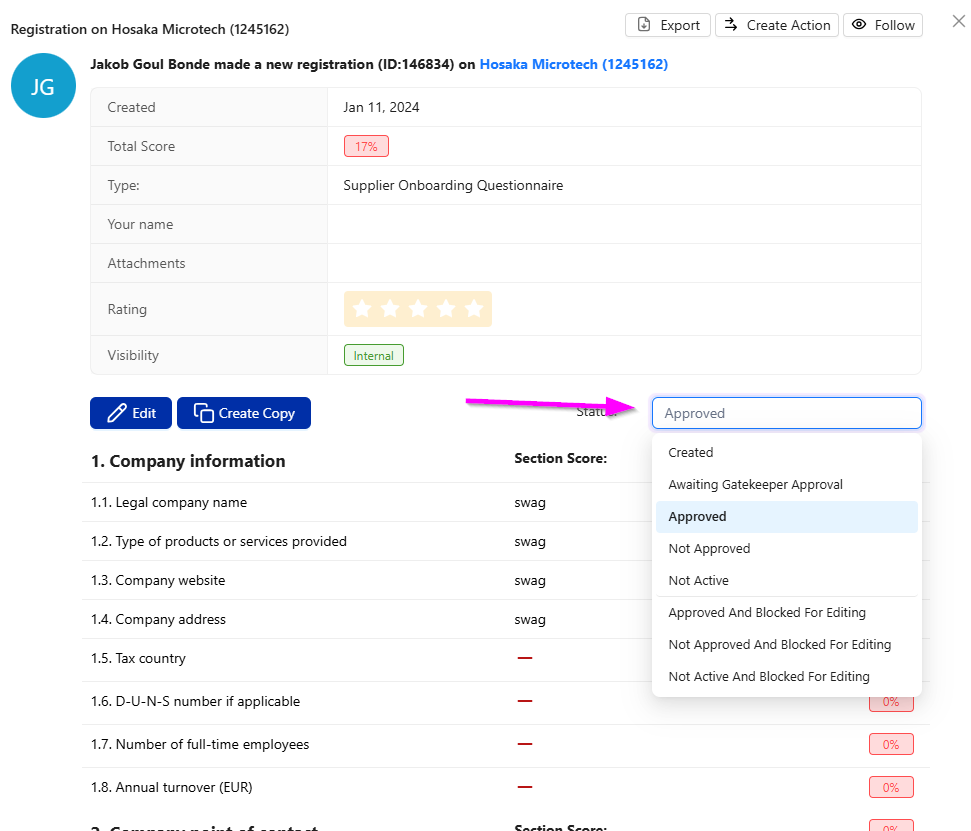
If your company has set up gatekeeper rules the appropriate people will receive e-mail notifications with direct links to the registrations that need to be reviewed and approved.
Reviewing and approving a Documentation registration is fast and easy. If you have received an e-mail, simply follow the link. Otherwise you can access the registrations from the All Documentation and follow the simple steps below:
- Click the registration to open it.
- Review the information.
- Select a new status from the Status drop-down menu.