Your company will have a set of Documentation Templates to use for the upload of documentation. Documentation, in this case, can refer to all kinds of agreements, contracts, audit checklists, self-assessments, certificates, questionnaires and more. Basically anything that helps you and your company mitigate risk and keep track of your suppliers' Documentation with rules and regulations!
Documentation registrations can be made by you and your company on a specific supplier, or you can ask your supplier to fill in a registration themselves. To do the latter, please visit this page for more information.
Each template can look quite different from each other to suit the need of the documentation in question. All of them are found and registered in the same way.
You can make a Documentation registration - i.e. register a document - from the Home page and from the 'Documentation'.
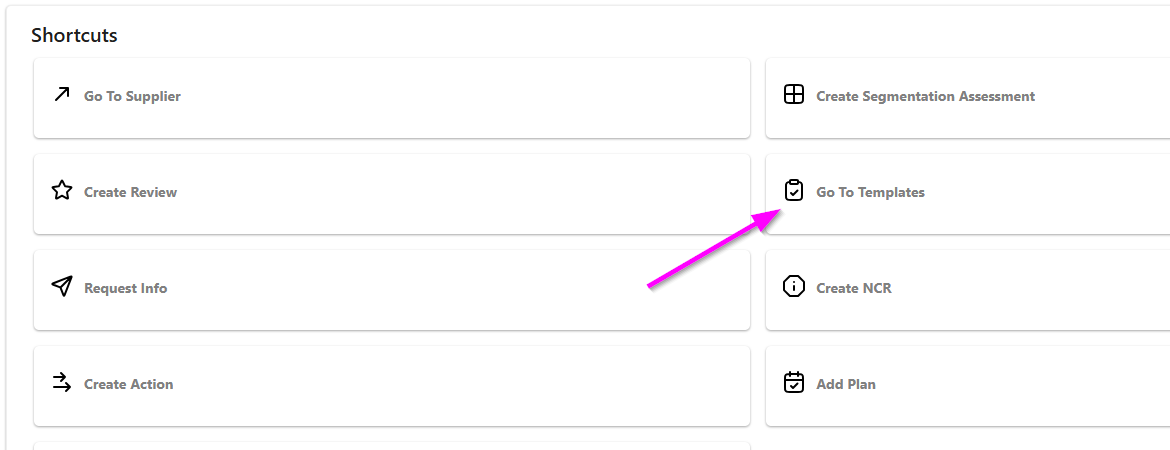
Making a Documentation Registration from the Home page:
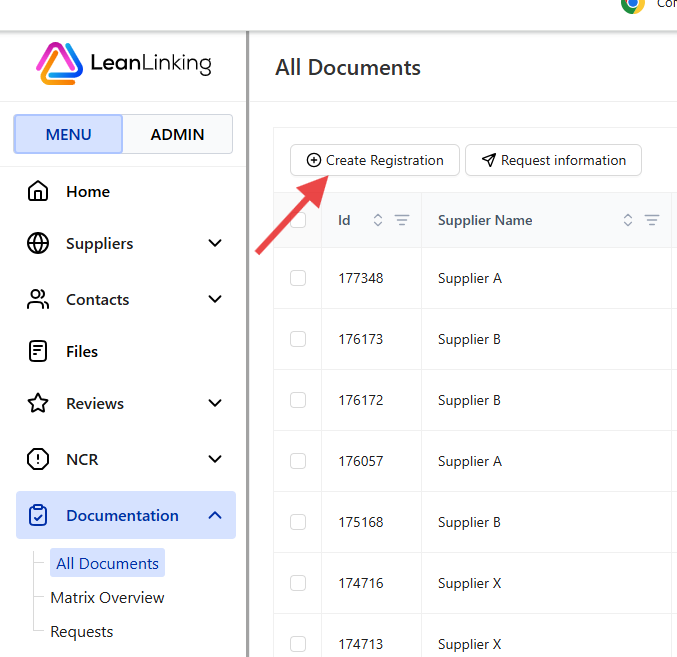
Making a Documentation Registration from the Documentation tab:
A few basic steps to follow:
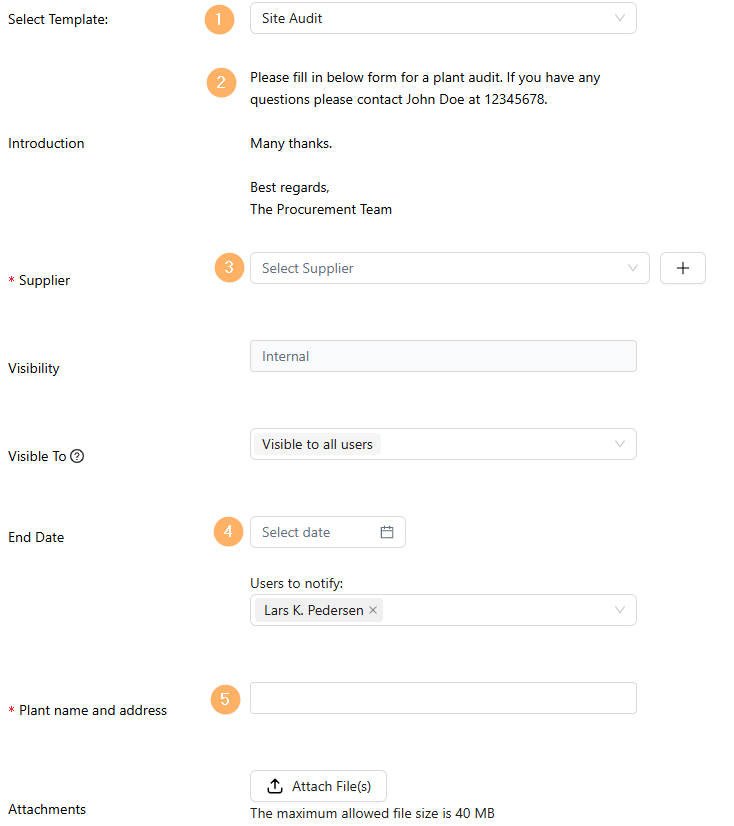
- Select the Template you are going to fill in - What kind of documentation are you registering?
- Read the introduction that describes how you should fill in this specific template.
- Select the supplier you are making the registration on.
- If this documentation has an expiry date, set an End- and/or Alert date to be notified on.
- Fill in the Entity field - This field is different on each template.
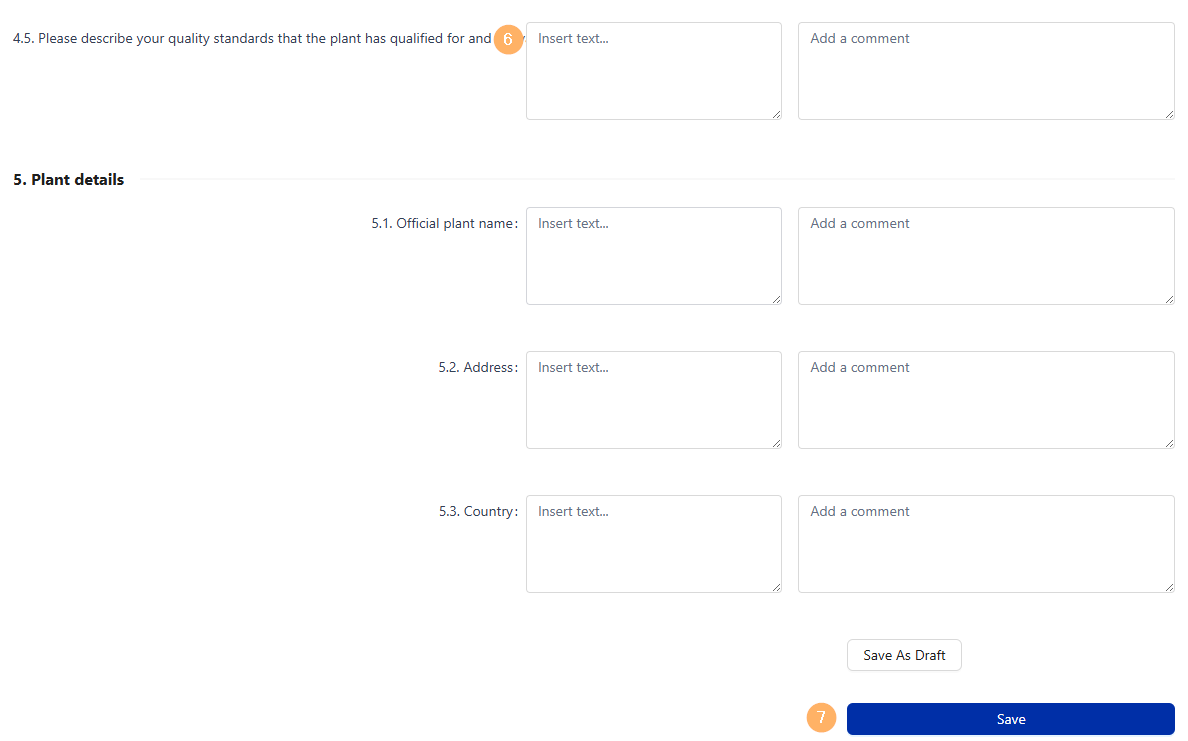
- Fill in all the questions.
- Click Submit Your Answers to complete the registration.