
Your company will have a set of Documentation Templates to use for the upload of documentation. Documentation, in this case, can refer to all kinds of agreements, contracts, audit checklists, self-assessments, certificates, questionnaires and more. Basically anything that helps you and your company mitigate risk and keep track of your suppliers' compliance with rules and regulations!
Documentation registrations can be made by you and your company on a specific supplier, or you can ask your supplier to fill in a registration themselves. To do the former, please visit this page for more information.
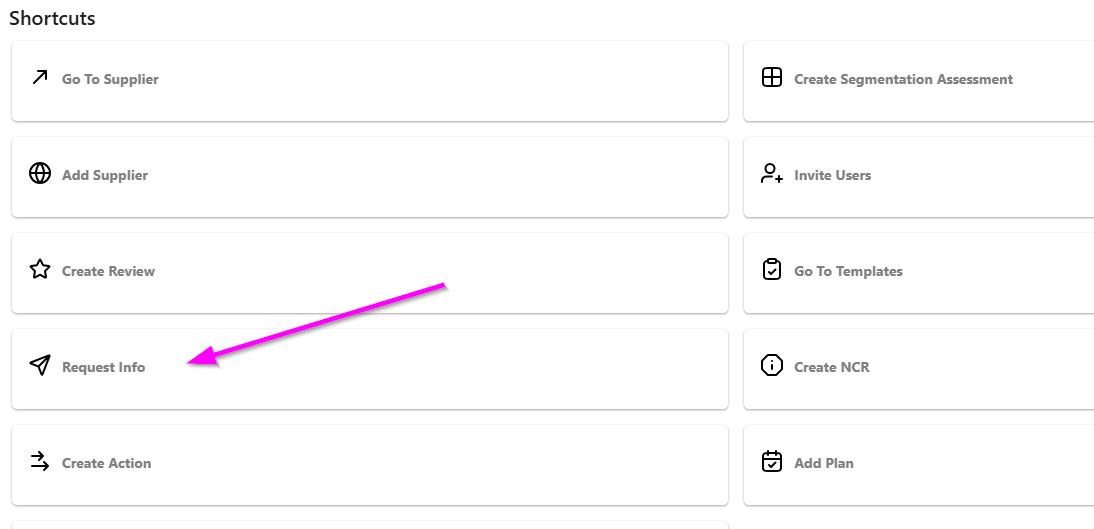
You can request your supplier to fill in a Documentation registration from the Home page.
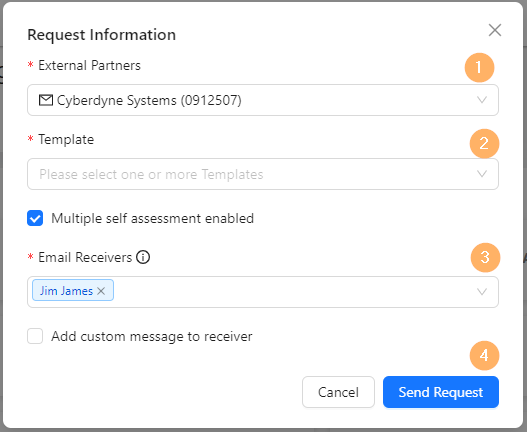
Once you have opened the Request Information window, follow these easy steps:
- Select which supplier you want to send the request to.
- Select which template(s) you want them to fill in. You can select one or several.
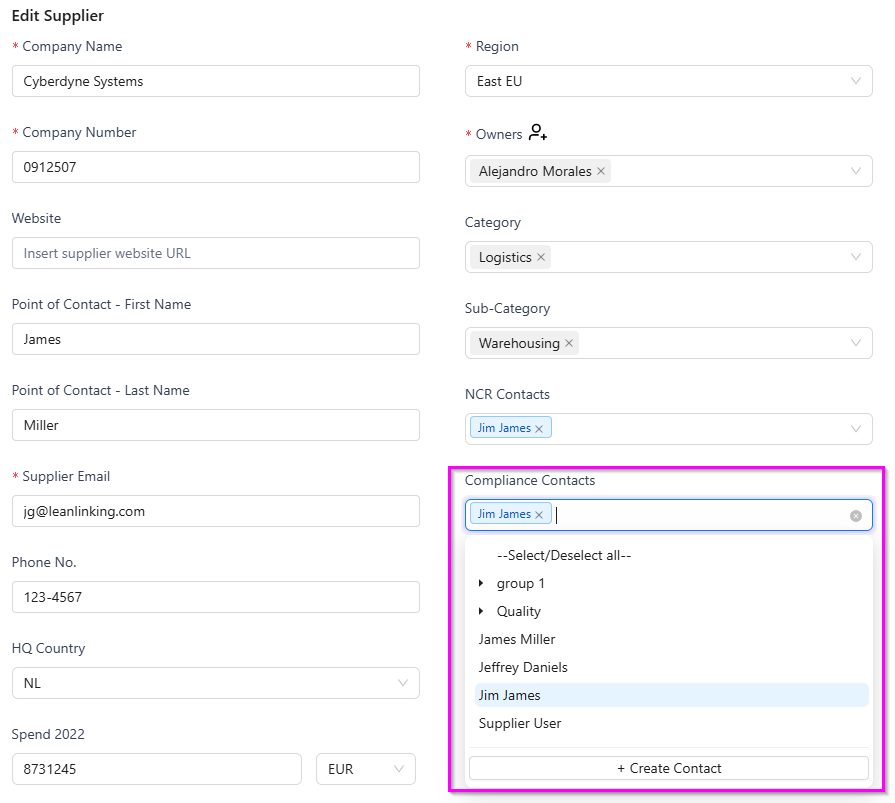
- Your supplier's default Documentation Contacts will be pre-selected. If you want to change the selection, click the dropdown and select the contacts you want to send the request to. You can also create new contacts. For more information, please see further down the page.
- Click Send Request. The contacts you defined in the previous step will receive notifications with a direct link, asking them to fill in the required information. Once the supplier has responded to your request, you can find the registration in the All Documents tab.
Can I remind the supplier if they have not yet made the registration?
LeanLinking automatically sends reminders to the supplier if they have not yet responded to your request, once after 7 days and once after 21 days. You can also resend the request to them.
How do I set up a supplier's Documentation Contacts?
On a supplier's Master Data page (accessible via the Supplier Master Data Overview page, by clicking a supplier) you can add one or more people as the default Documentation Contacts.
How do I remove a request sent to a supplier?
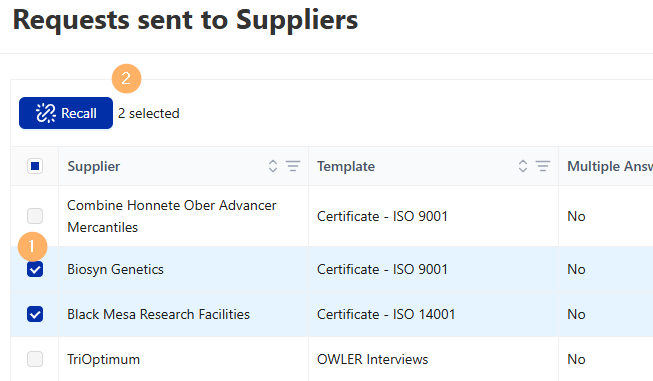
You can Recall a request sent to a supplier from the Documentation > Requests menu.
Requests can be recalled (meaning that the link sent to the supplier will become inactive) by selecting the request(s) and clicking the Recall button as shown below:
Documentation